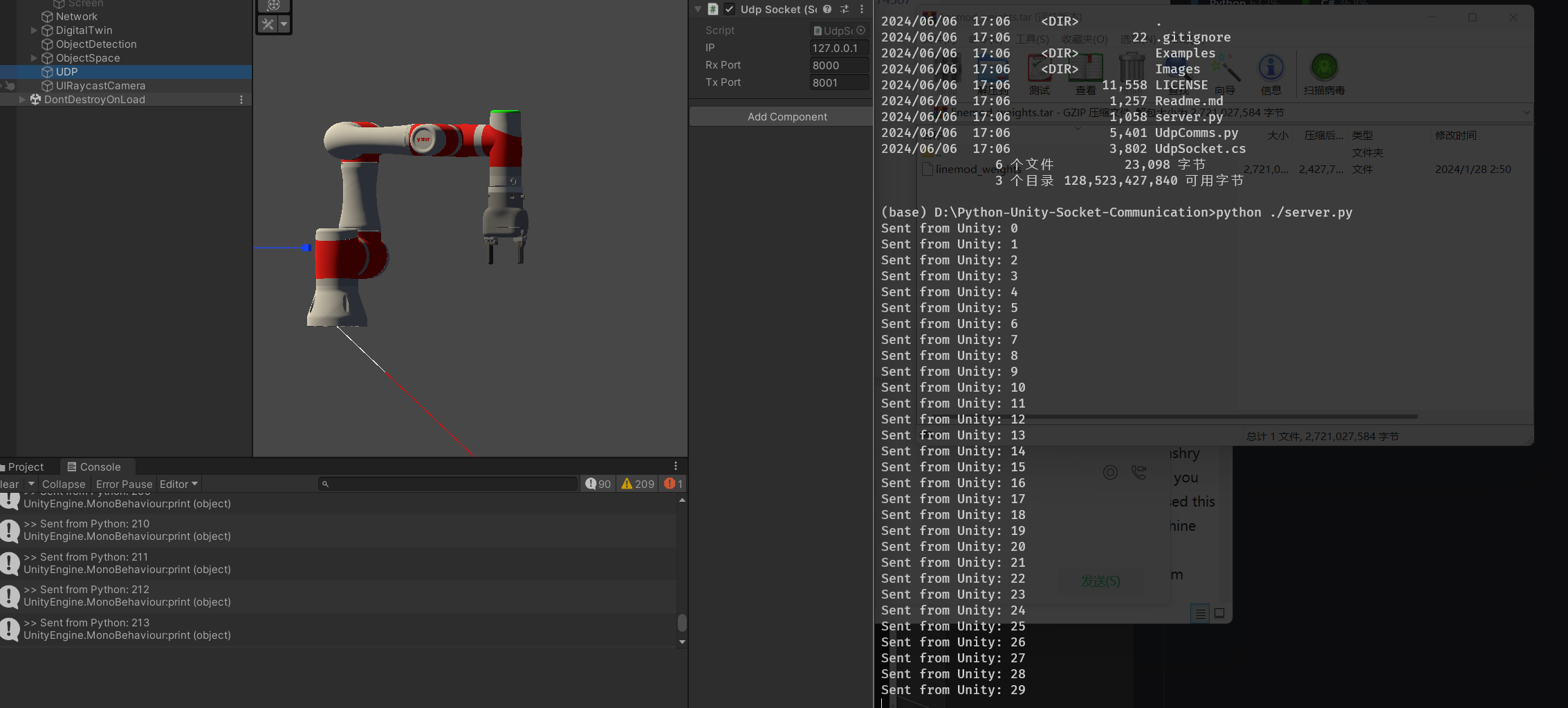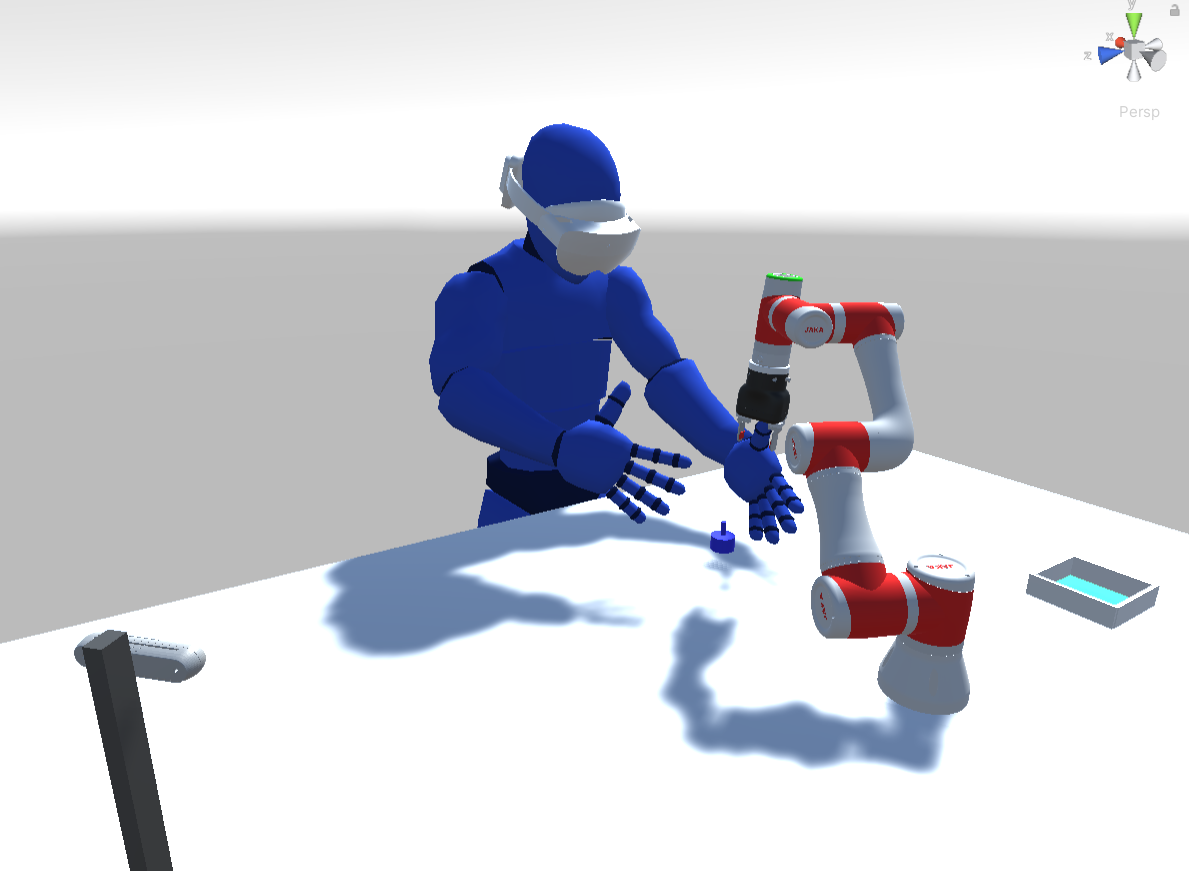
以下为项目布局示意图

以下为项目布局示意图
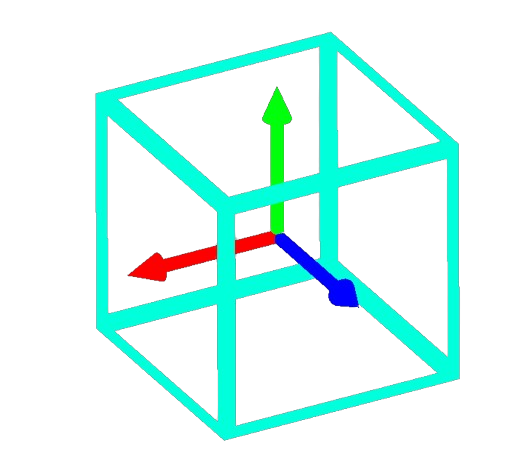
首先 RGB-D 相机识别出桌面上的某一个物体,反馈到 hololens 的界面中,用户会看到对应物体上渲染出来了一个边界框和表示位姿的坐标轴:
仓库:https://github.com/liuyuan-pal/Gen6D
手册:https://github.com/liuyuan-pal/Gen6D/blob/main/custom_object.md
步骤指令:
1 | python prepare.py --action video2image --input data/custom/part1/ref.mp4 --output data/custom/part1/images --frame_inter 10 --image_size 960 |
关于判定不准确怎么解决:https://github.com/liuyuan-pal/Gen6D/issues/29
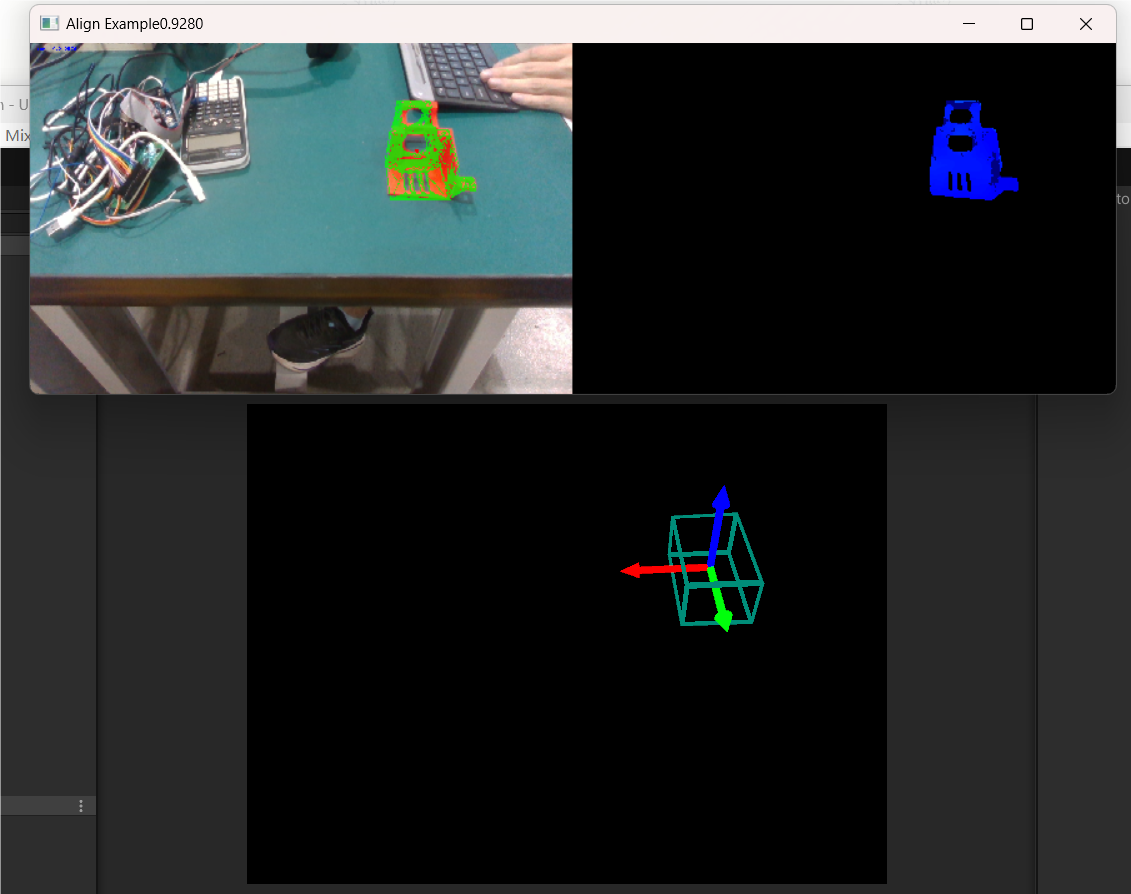
unity 使用左手坐标系,普遍的 6d 算法使用右手坐标系,所以得出[R;t]后需要做一步针对 y 轴的反射变换
State of The Art: Foundation Pose (https://github.com/NVlabs/FoundationPose)
CASAPose (https://github.com/fraunhoferhhi/casapose?tab=readme-ov-file)
MegaPose (https://github.com/megapose6d/megapose6d)
MegaPose (https://github.com/megapose6d/megapose6d)
OVE6D (https://github.com/dingdingcai/OVE6D-pose)
使用 pyRobotiqGripper
但是只兼容 linux 电脑的串口,所以部署在笔记本上并且创建一个局域网服务器供台式机调用。
1 | import pyRobotiqGripper |
1 | (base) cyl@arch ~/450> python gripper_test.py |
台式机通过
1 | # 定义要发送的命令和URL |
来控制
/FxkrbKwOGoAGYyxbrI5c3fDznSf.png)
机械臂 DT 需要的功能:
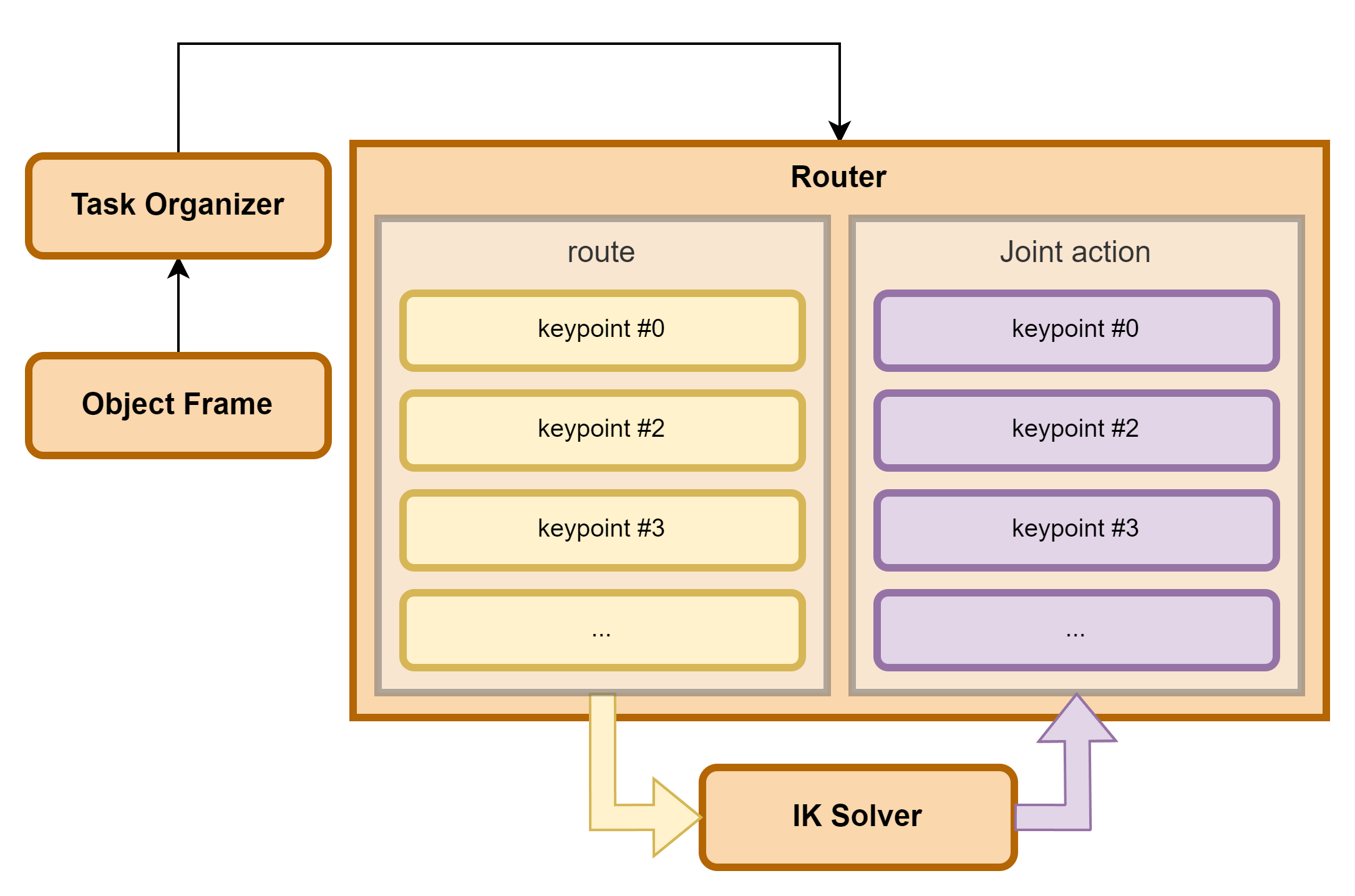
用于将关键点数据转化为关节动作(各关节旋转角度)
拟题:
基于混合现实的智能体交互
具体功能:
通过hololens2获取场景数据(识别小车/其他物体的位置,网格信息)。
通过hololens2的立体空间交互能力,指挥小车进行移动,执行任务(譬如抓取柱体并移动到相应位置)。